

Why This Decision Matters — The Sourced Numbers
Siloed Systems Are a Revenue Problem
Knowledge workers lose 12 hours per week searching for information trapped in siloed systems (Forrester); companies lose 20–30% of revenue to disconnected data (IDC); and while 90% of organizations report silo-caused obstacles, the average enterprise has only 29% of its apps integrated (MuleSoft Connectivity Benchmark, via Serenichron). The iPaaS market built to fix this grew 23.4% to $8.5B in 2024 (Gartner) — at enterprise prices this guide will show you how to avoid.
The 30-Second Answer: Is n8n a Good Choice?
n8n is a good choice for connecting business systems when three things are true: your systems have APIs (nearly all modern SaaS does), someone on your side can own the setup (staff or an implementation partner), and you want to pay for the build once instead of renting an enterprise platform forever. It is not a magic box — it is an integration layer, and this guide explains exactly what that means in plain English.
The honest verdict table, before any detail:
| Your situation | Verdict | Why |
|---|---|---|
| SMB / mid-market, 3–15 systems, want them talking | Yes — strong fit | Hub-and-spoke without enterprise licensing; any API works |
| Real-time needs (orders, payments, stock) | Yes | Webhook triggers react in seconds, not on a schedule |
| Data must stay on your servers | Yes — self-hosted | Data passes through infrastructure you control |
| Regulated data needing audit trails | Yes, with discipline | Self-host + logging + error workflows (section 9) |
| Zero technical staff, no partner, ever | No | Someone must own credentials, errors, upgrades |
| 500+ APIs, federated governance, API marketplace | No — buy iPaaS | MuleSoft/Boomi exist for program-scale governance |
This page is part of the n8n knowledge hub. For how n8n’s bill compares to Zapier and Make, see the platform comparison; for what it costs to have someone build this for you, the n8n automation cost guide. Here we stay on one question: is n8n the right integration architecture for connecting your CRM, ERP, marketing, and support stacks — and what does n8n integration look like in practice?
The Problem: Four Systems, Zero Conversations
Before any architecture, understand the failure it fixes: four systems that each hold one piece of the truth, connected by humans moving CSV files — slow, error-prone, and invisible until something breaks. If this weekly routine sounds familiar, you already have an integration architecture; it is just made of people.
It plays out the same way in thousands of businesses. The operations manager exports a CSV from the ERP and emails it to sales. Sales manually updates the CRM with the latest stock counts. Finance hand-creates invoices in accounting from the CRM’s closed deals. And payment confirmations never make it back to the CRM, so customer success emails clients who haven’t paid. Each tool works fine alone; the connections between them run entirely on human effort.
The measured cost of that arrangement, from named research: knowledge workers lose about 12 hours per week — 29% of their workweek — hunting for information trapped in silos (Forrester); organizations lose 20–30% of revenue to disconnected-data inefficiency (IDC); poor data quality costs an average of $12.9M per year (Gartner); and 90% of organizations report business obstacles caused by silos while only 29% of their applications are actually integrated (MuleSoft Connectivity Benchmark). The typical SMB response — enterprise iPaaS — prices that fix out of reach, which is precisely the gap n8n fills.
Spaghetti vs Hub-and-Spoke: What “Integration Architecture” Means
Integration architecture just means: when system A needs to tell system B something, what carries the message? There are two families — point-to-point (every system wired directly to every other) and hub-and-spoke (every system wired to one middle layer) — and the choice decides your maintenance bill for years.
Do the arithmetic behind the picture. Five point-to-point systems need 10 separate connections; six need 15; ten need 45 — and every one of them is something to build, document, and eventually debug. The hub-and-spoke alternative needs one connection per system: five systems, five connections; ten systems, ten connections. When a connector breaks, you fix one spoke — not hunt through a web of pairwise wiring. That linear-vs-quadratic difference is why n8n’s architecture pattern (documented in n8n’s own integration-patterns guide) is the same shape enterprises pay iPaaS vendors six figures to get.
In plain English: point-to-point means every person in a room needs a private phone line to every other person; hub-and-spoke means one switchboard operator everyone calls. Same conversations, a fraction of the wiring — and the operator (n8n) can also translate, filter, and log every call.
The n8n Integration Reference Architecture: CRM, ERP, Marketing, Support
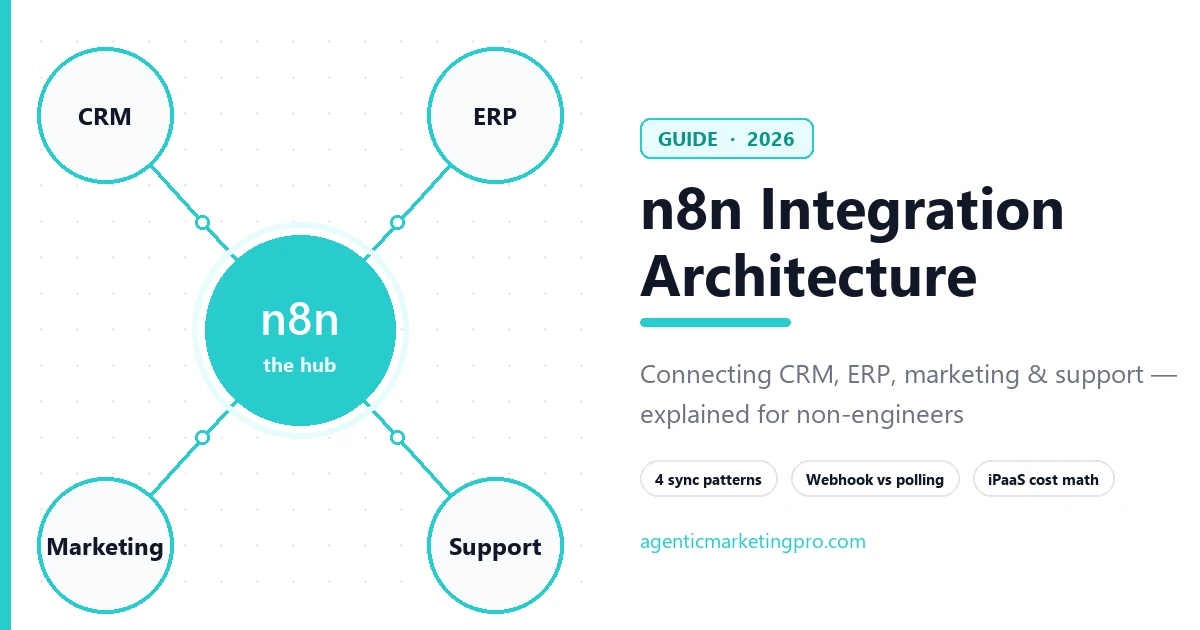
The production pattern that works for most businesses: each system connects to n8n once — CRM pushes deal events in, ERP receives orders and returns stock levels, marketing receives segment triggers, support receives ticket context — and n8n holds the routing, transformation, and error handling in visible, editable workflows. Here is the whole picture on one canvas.
Walk one real trip through the hub, in business terms. A deal is marked won in the CRM; the CRM rings n8n’s webhook (seconds after the click, not on tomorrow’s sync); n8n creates the sales order in the ERP, which returns an invoice number; n8n writes that number back to the CRM deal, adds the customer to the right onboarding segment in marketing, and files everything. If the ERP is briefly unreachable, the error workflow retries and alerts instead of silently dropping the order — the reliability patterns are in our production error-patterns guide and retry-logic deep dive.
Two design rules keep this architecture sane as it grows. First, one system owns each data type: the CRM owns contacts, the ERP owns stock and invoices, support owns ticket state — other systems may read and mirror, but only the owner writes. Second, each spoke is one workflow with one job, so when something misbehaves you know exactly which spoke to open; our sub-workflows guide shows the structure. A worked ERP-specific example — including bidirectional inventory sync and payment feedback loops — is in our Odoo–n8n integration walkthrough.
The Four Sync Patterns (In Plain English)
Every n8n integration you will ever need is one of four patterns — one-way sync, bidirectional sync, event-driven reaction, and scheduled reconciliation — and picking the right pattern per flow is 80% of integration design. Here they are without jargon.
Match patterns to situations, not habits. The decision table most of our deployments converge on:
| Business need | Pattern | Real example |
|---|---|---|
| Push new leads to the CRM | One-way upsert | Form → enrich → create-or-update contact |
| Stock levels visible to sales | One-way, ERP-owned | ERP is the single source; CRM mirrors read-only |
| Deal stage ↔ order status | Bidirectional with field ownership | CRM owns stage; ERP owns fulfillment status |
| Instant order confirmation | Event-driven webhook | Storefront rings n8n → invoice + Slack + email |
| Catching anything missed | Nightly reconciliation | Daily diff of both systems; repair drift in bulk |
One warning from the field: bidirectional sync is where DIY projects go to die. Without a strict ownership rule per field, two systems will confidently overwrite each other’s corrections forever. If you cannot name the owner of every shared field, you are not ready for pattern 2 — use one-way sync plus reconciliation until you can.
Doorbell vs Mailbox: How Data Moves
Under every pattern sits one mechanical choice: webhooks (push — the source rings you the moment something happens, like a doorbell) or polling (pull — you check on a schedule, like walking to the mailbox). The difference decides speed, cost, and how many wasted checks you pay for.
The decision rule for n8n integration is short. Use webhooks when the source supports them and speed matters — orders, payments, security events (TheAgentEcosystem’s trigger guide calls this the default). Poll when there is no webhook, when you must backfill history, or when batching suits the job. One gotcha the diagram flags: some n8n app Trigger nodes poll under the hood on their own schedule even though they feel event-driven — read the node’s description when latency matters.
Either way, deduplication is not optional. Webhooks retry and can deliver the same event twice; a slow poll can re-fetch the same record before it is marked done. The mailman sometimes delivers the same letter twice — you file one and bin the duplicate, which is exactly what n8n’s Remove Duplicates node does with process IDs. Sensitive endpoints also need authentication and signature checks; our webhook security guide and timeout handling walkthrough cover the production settings.
The Cost Math: n8n vs Enterprise iPaaS
The same integration built on n8n typically costs $1,400–$8,000 in year one (platform + build) versus $30,000–$150,000 per year, every year, for enterprise iPaaS — because MuleSoft and Boomi sell platform licenses while n8n’s license is free-to-€50/month and you pay only for the build. That is the entire economic argument for n8n integration architecture, in one sentence.
Where the numbers come from: MuleSoft’s own pricing page starts at $2,000/month billed annually; the VendorBenchmark 2026 iPaaS study puts typical mid-enterprise contracts at $30,000–$150,000/year with connectors billed at $500–$2,000 each per year; and published comparisons put MuleSoft’s median around $79,000/year. The n8n side is deliberately conservative: n8n Cloud at €20–€50/month (or €0 license self-hosted + ~$10/month infrastructure) plus a one-time build inside the $1,500–$5,000 multi-workflow band from our n8n automation cost guide — including its retainer math for year two onward.
Read the comparison honestly, though. Enterprise iPaaS buys things n8n does not sell: account managers, certified connector SLAs, API governance at program scale, and someone else’s pager. If your integration estate is three systems and a handful of flows, you would be paying $79,000 a year for capabilities you will never invoke. If it is 300 APIs across a federated enterprise, the iPaaS premium is real value — which is exactly the next section.
When n8n Is NOT the Right Choice (The Honest Cases)
n8n is the wrong tool in exactly three situations: you have nobody to own it, you need program-scale API governance, or your stack is standard apps with no technical ambitions at all — and pretending otherwise is how automation projects fail.
- Nobody owns it. n8n is self-serve infrastructure: someone must hold credentials, respond to error alerts, and run upgrades. If no staff member and no partner will ever own that role, a fully managed iPaaS — or staying manual — is the honest answer.
- Program-scale governance. Hundreds of APIs, a federated developer organization, mandated API marketplaces, certified-connector SLAs — this is MuleSoft and Boomi’s home turf, priced accordingly. n8n scales to serious volume (see our enterprise scaling playbook), but it does not pretend to be an API-governance platform.
- Standard apps, zero ambition, non-technical team. If the entire wish-list is “when form fills, add to mailing list,” a consumer tool does that with less setup than any architecture discussion. Our three-platform comparison maps when Zapier or Make genuinely win.
Notice what is not on the list: company size, data sensitivity, or “we’re not technical” as a blanket state. Self-hosting puts regulated data on infrastructure you control (section 9), and a partner can own the technical burden — the model our implementation-agency guide describes. The three real disqualifiers for n8n integration are about governance shape and ownership, not competence.
Security and Data Control: Where Your Data Actually Goes
Every byte in transit passes through wherever n8n runs — n8n Cloud (EU-hosted) or your own server — and self-hosting is the answer when compliance requires that no third party ever touches the payload. This is the question regulated industries ask first about n8n integration, and the answer is architectural, not a checkbox.
The control surface, concretely. Self-hosted n8n runs on infrastructure you choose — your cloud account, your region, or fully internal — so CRM, ERP, and support payloads never leave your perimeter except to their own destinations. Credentials live in n8n’s encrypted store, not in the workflow JSON (the setup patterns are in our secrets-management guide). Webhook endpoints get authentication and signature verification, per the webhook security guide. Execution logs give you an audit trail of every record that moved — with retention and pruning you control.
Three hardening rules we apply to every production deployment, regardless of hosting: least-privilege API keys (integration keys get write access to exactly the objects they sync, never account admin), the error workflow as a tripwire (every failure alerts and logs — silent failures are the actual security risk in integration), and version-controlled workflows so every change to the data paths is reviewable, per our git integration guide. None of these require enterprise plans; they require discipline.
7 Questions to Answer Before You Commit
Seven questions decide whether n8n integration architecture will succeed in your business — answer them in order, and the first “no” tells you exactly what to fix first. We run this exact screen before every engagement.
- Do all your systems expose APIs? Nearly all modern SaaS does; the occasional legacy on-prem database needs a middleman — but check before you plan.
- Which system owns each data type? If you cannot say who owns contacts, orders, and invoices — single source of truth — fix that on paper before any sync touches data.
- What must be real-time versus daily? Orders probably need webhooks; reporting needs a nightly job. The split decides cost and complexity more than anything else.
- Where must data physically reside? Regulated or IP-sensitive payloads point to self-hosted; everything else can start on Cloud and move later.
- Who owns this when it beeps at 2 AM? Name a person or a partner. An integration layer without an owner is an outage waiting for a schedule.
- What does failure look like? Ask any prospective builder what happens when the ERP is down mid-order. “It retries and alerts” is the right answer; silence is not.
- Build, buy, or rent? The cost-math section gives you the numbers; your team’s capacity decides which column you live in.
If questions 1–5 have solid answers, you are ready to scope your first n8n integration spoke — and to hold it to the 46-check implementation checklist before it touches production data. The pattern that works: pick the single most painful CSV shuffle, automate that one flow end-to-end with error handling, run it for a month, then expand spoke by spoke. It is how the reference architecture in section 4 gets built in real businesses — incrementally, with proof at each step.
Methodology & Sources
The statistics in this guide are named, dated, and linked; the pricing is sourced from vendor pages and a 2026 benchmark study; and the architecture patterns follow n8n’s own published integration-pattern documentation. Nothing here is vendor marketing repeated as fact.
- Silo statistics: Forrester (12 hrs/week), IDC (20–30% revenue), Gartner ($12.9M data quality), MuleSoft Connectivity Benchmark (90% / 29%) — compiled with citations in Serenichron’s SMB integration guide (April 2026)
- Integration pattern taxonomy: n8n’s integration-patterns guide · trigger mechanics: TheAgentEcosystem webhook-vs-polling · n8n Webhook node docs
- iPaaS pricing: VendorBenchmark 2026 · mulesoft.com/pricing · n8n plans at n8n.io/pricing (Oct 2026)
- Build and retainer costs: our n8n automation cost guide (five sourced 2026 pricing surveys)
- Deployment depth: our production guides on Kubernetes deployment, database optimization, and real-time Odoo webhooks
Platforms and prices shift; the architecture principles do not. This guide is re-verified quarterly, last October 2026.
TS Nion — Senior Digital Marketer & Automation Expert, AgenticMarketingPro
TS designs and deploys hub-and-spoke n8n integration architectures across CRM, ERP, marketing, and support stacks. Sources re-verified October 2026. Full background →
Is n8n a good choice for connecting your CRM, ERP, marketing, and support systems? If your systems have APIs and someone can own the layer — yes: hub-and-spoke architecture, real-time event sync, any-API flexibility, and a first-year cost measured in thousands instead of tens of thousands. If you need program-scale governance or truly cannot own it, buy the iPaaS — honestly.
Want your stack mapped against this reference architecture? Contact us today — or start with the free audit.
n8n Integration Architecture: FAQ
Is n8n a good choice for connecting CRM, ERP, marketing, and support systems?
Yes, for most small and mid-size businesses. n8n gives you hub-and-spoke integration architecture — every system connects once to a central layer instead of point-to-point wiring — with real-time webhook sync, scheduled reconciliation, and support for any system with an API. Year-one cost typically runs $1,400–$8,000 (platform + one-time build) versus $30,000–$150,000/year for enterprise iPaaS. It is the wrong choice only if nobody can own it technically or you need program-scale API governance.
Can n8n replace MuleSoft or Boomi?
For SMB and mid-market integration — yes, that is exactly the gap n8n fills: MuleSoft starts at $2,000/month with median enterprise contracts near $79,000/year, while n8n delivers the same hub-and-spoke patterns from €20/month or free self-hosted. For enterprise programs needing hundreds of governed APIs, certified-connector SLAs, and API marketplaces, MuleSoft and Boomi remain the right tools. The deciding question is governance scale, not capability.
Does n8n work with systems that don’t have pre-built connectors?
Yes. Beyond its 2,300+ native nodes, n8n has HTTP Request and code nodes that talk to any system with an API — REST, GraphQL, or SOAP — which is what makes it viable as a hub for legacy and niche tools. If a system can be reached over HTTP with credentials, n8n can integrate it. Custom connectors can also be packaged as reusable nodes for internal reuse.
What’s the difference between a webhook and polling, in plain English?
A webhook is a doorbell: the source system rings n8n the instant something happens, so the reaction takes seconds and nothing runs when nothing changed. Polling is checking the mailbox: n8n asks the source on a schedule (say, every 15 minutes), which works with any API but adds up to one interval of delay and runs even when nothing is new. Prefer webhooks when available; poll when there is no webhook or when backfilling history.
How does n8n avoid duplicate records when syncing systems?
Two mechanisms. First, syncs use the upsert pattern — update the record if it exists, create it only if it doesn’t — keyed on a stable ID like an email address or external ID, so re-processing the same record never creates a copy. Second, n8n’s Remove Duplicates node filters items already processed in earlier executions, which catches the duplicate deliveries that webhook retries and slow polling cycles can produce. Together they make every run idempotent — safe to repeat.
Do I need a developer to set up n8n integrations?
Not for simple flows — n8n’s visual builder lets a capable non-developer connect standard apps in an afternoon. Production integrations between CRM and ERP are different: they involve field ownership rules, error handling, deduplication, and credential management, where experience matters. Most businesses land in between: internal staff own simple workflows while an implementation partner builds and documents the business-critical spokes ($1,500–$5,000 for a multi-workflow system).
Where does my data go when it passes through n8n?
Through wherever your n8n instance runs. On n8n Cloud, data transits n8n’s EU-hosted infrastructure between your systems. Self-hosted, it runs on your own server — your cloud account, your region, or fully internal — so payloads never touch a third party. Credentials are stored encrypted, and execution logs give a full audit trail with retention you control. For regulated data, self-hosting is the standard answer.
How much does it cost to integrate CRM and ERP with n8n?
Typically $1,400–$8,000 in year one: the n8n platform at €0–€50/month plus a one-time build of $300–$2,000 per workflow (a CRM↔ERP sync with error handling lands in the $1,500–$5,000 multi-workflow band), plus optional retainers from $500/month for ongoing ownership. The equivalent enterprise iPaaS contract runs $30,000–$150,000 every year. Full tier-by-tier pricing is in our n8n automation cost guide.
How many hours is the CSV shuffle costing you?
Get a 15-point audit of your current system connections — manual handoffs, sync gaps, silent failures — mapped against the reference architecture in this guide.
Ready to Connect Your Systems the Right Way?
Get a personalised audit showing exactly where hub-and-spoke integration can cut costs and recover lost hours across your operations.
Leave a Reply