

Why a Checklist — The Sourced Numbers
Silent Failures Are the Expensive Kind
If your workflow fails and nobody finds out for six hours, that is an error-handling problem — and silent failures are the most expensive kind (HatchWorks, 2026). Manual data work is the error engine behind it: manual data entry error rates run 1–4% of records, versus ~0.001% for automated entry (Parsli data-entry statistics, 2026), and workflow automation cuts operating costs ~30% while lifting productivity 20–25% in year one (WorldMetrics, 2026). This n8n implementation checklist exists to catch those failures before go-live — not after.
The 2 AM Test: What “Production-Ready” Actually Means
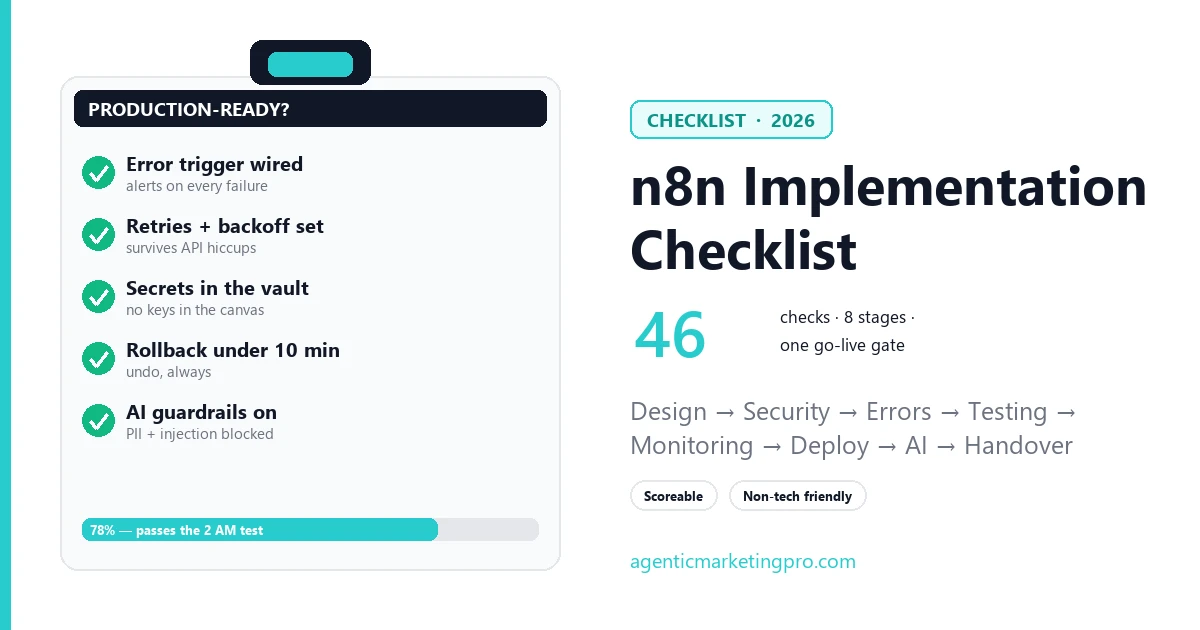
Production-ready means your workflows pass the 2 AM test: if any workflow fails at 2 AM, the right person is alerted automatically, the failure is logged with enough context to fix it in one click, nothing is lost, and recovery does not require the person who built it. That sentence is the entire standard this n8n implementation checklist operationalizes — every one of the 46 checks below exists to make it true.
Here is the honest situation most teams discover too late. The workflows run fine in demo, go live, and work — until the day an upstream API changes a field name, a credential expires, or an AI step returns something unexpected. Nothing crashes loudly; the workflow just stops doing its job. Sales wonders why leads stopped appearing in the CRM. Finance notices invoices missing. Nobody connects it to the automation for days. That is a silent failure, and it is the default outcome of building without a checklist — not because builders are careless, but because nothing forces these questions to be asked before go-live.
The industry has converged on what production-readiness means, and the categories below match it: security, error handling, testing, observability, AI guardrails, and a real deployment process — the six-category standard set out in HatchWorks’ 2026 n8n best-practices checklist and echoed across the n8n community’s production guides. We extend it to eight stages by adding architecture-first design and handover — the two categories that decide whether the system survives its builder leaving.
Who This Checklist Is For (and How Non-Techies Use It)
This n8n implementation checklist is written so a non-technical owner can score every check: each item says what to look for in plain English, why it matters, and what “done” looks like — no node-level configuration required to audit it. You do not need to build workflows to hold builders accountable with it.
Three audiences, three uses. If you are the business owner, this is your acceptance test: hand it to whoever builds your workflows (staff, freelancer, or agency — our implementation-agency guide covers the vetting) and ask for a score before you accept the work. If you are the builder, it is your pre-flight list: run it before every go-live and keep the scored sheet with the project. If you are evaluating an existing estate, it is your audit framework: score each workflow, fix the lowest-scoring stage first.
The vocabulary is deliberately plain. Credentials live in “a vault” (n8n’s built-in credential manager). Error triggers are “a smoke alarm wired to every workflow.” Rollback means “undo in under ten minutes.” Where a technical term is unavoidable, the check explains it in the same breath. The companion n8n knowledge hub covers platform fundamentals, and the reliability deep-dives linked in each stage carry the node-level detail this checklist deliberately skips.
How to Score It: 0–2 per Check, Gate at 70
Score every check 0 (missing), 1 (partial), or 2 (fully met), for a maximum of 92; any workflow scoring under 70 — or any stage scoring under half — should not go live until fixed. The gate is deliberately strict, because the cheapest place to fix a workflow is before it touches production data.
Two rules make the score honest. First, the stage rule: a workflow is a chain, so any single stage scoring under 50% blocks go-live even if the total is high — brilliant error handling cannot compensate for a missing security stage. Second, the re-score rule: material changes re-open the checklist. The scored sheet you file becomes the handover document described in Stage 8, which is what makes this n8n implementation checklist an operating system rather than a one-time exam.
Stage 1 · Architecture: One Workflow, One Job
Stage 1 asks one question: can you describe what each workflow does in a single sentence without the word “and” — and does every workflow have a describable failure boundary? Six checks, worth up to 12 points. This is the cheapest stage to get right and the most expensive to retrofit.
| Check (plain English) | What “done” looks like | Why it matters |
|---|---|---|
| 1.1 One workflow, one job | Each workflow does one discrete task (validate, enrich, notify). If it needs “and” to describe, split it | Failures isolate to one piece; you fix one job, not a 50-node sprawl |
| 1.2 Sub-workflow structure | Big jobs orchestrated from a parent calling small sub-workflows with defined inputs/outputs | Each piece testable alone; vendor API change = one edit |
| 1.3 The 15–20 node smell test | Workflows over ~15–20 nodes or 3+ branches flagged for refactor review | Sprawl is where bugs hide; small canvases are readable by the next owner |
| 1.4 Naming conventions | Workflows and nodes named for what they do (“01-fetch-leads”), not “final_v3” | The 2 AM fixer finds the right canvas in seconds |
| 1.5 Single source of truth per field | Every synced data field has exactly one system that owns it, written down | Prevents two systems overwriting each other’s corrections forever |
| 1.6 Trigger choice is deliberate | Webhook where the source supports it; polling only with a stated reason (backfill, no webhook) | Push = seconds latency, zero waste; polling bills and delays by design |
The trigger check (1.6) deserves its plain-English note: a webhook is a doorbell — the source rings n8n the moment something happens — while polling is checking a mailbox on a schedule. Prefer the doorbell; the full comparison is in the n8n integration architecture guide, and sub-workflow structure is detailed in our sub-workflows deep dive.
Stage 2 · Security: The Vault and the Front Door
Stage 2 checks that every credential lives in the vault, every public endpoint demands ID, and every key has the least power it needs — six checks worth up to 12 points, and the stage most DIY builds fail. Security failures in production n8n rarely look like breaches; they look like an API key riding along in an exported JSON, or a “temporary” webhook that never got authentication.
| Check | What “done” looks like | Why it matters |
|---|---|---|
| 2.1 Credentials in the manager | All keys in n8n’s credential store — zero hardcoded keys in nodes or exports | Exported workflow JSON must never contain a live key |
| 2.2 Webhooks authenticated | Every public webhook requires header token, basic auth, or signature check | An open webhook accepts anything from anyone on the internet |
| 2.3 Least-privilege keys | Each integration key writes only to the objects it touches — never account admin | A leaked scoped key is an incident; a leaked admin key is a breach |
| 2.4 Sensitive data redacted from logs | PII and secrets masked before reaching execution logs | Logs are read by more people than payloads ever are |
| 2.5 Secrets manager on self-host | Self-hosted deployments use a real secrets store, not plain environment variables | Env vars leak into backups, logs, and support tickets |
| 2.6 Access to the instance controlled | Editor access is named-user and reviewable; no shared logins | Every change must trace to a person |
For the operator-level detail — external secret managers, rotation, incident response — our secrets-management guide carries the full depth; webhook authentication mechanics are in the webhook security walkthrough. The non-technical audit question for this stage is simply: “Show me the workflow exported as JSON — does it contain anything that looks like a key?” If yes, 2.1 fails.
Stage 3 · Error Handling: The Smoke Alarm
Stage 3 is the smoke-alarm stage: every critical workflow wired to an error trigger that alerts a human, retries tuned for transient failures, and a written policy for what happens after failure — six checks worth up to 12 points, and the difference between a 2 AM alert and a Tuesday discovery.
| Check | What “done” looks like | Why it matters |
|---|---|---|
| 3.1 Error-trigger workflow active | One error-handler workflow catches every failure and alerts a channel | Silent failure is the default without it |
| 3.2 Rich failure payload | Alert includes workflow name, node, error message, and a one-click execution link | Debug in one click, not a log hunt |
| 3.3 Retry on fail configured | Nodes calling external APIs have retry with max attempts and wait | Most failures are transient; retry absorbs them |
| 3.4 Backoff for high-stakes flows | Exponential backoff (ideally with jitter) on the workflows that matter most | Hammering a struggling API makes it worse |
| 3.5 HTTP codes mapped to actions | 5xx→retry, 401→refresh then retry, 422→human review, config errors→fail fast | Retrying malformed data never succeeds; policy beats improvisation |
| 3.6 Written failure policy | “Retry → quarantine → escalate → rollback” answered in writing per workflow | If nobody can answer “what happens when this fails?”, it isn’t ready |
The one-line version for non-engineers: an error trigger is a smoke alarm wired to every workflow, and retries are the system letting a hiccup pass without waking anyone. The failure taxonomy behind check 3.5 — which errors are transient, which are permanent, and which are configuration problems pretending to be data problems — is cataloged in our production error-patterns guide, with retry mechanics in the retry-logic deep dive.
Stage 4 · Testing: Failure Paths Get Rehearsals Too
Stage 4 replaces “I ran it and it worked” with evidence: happy paths tested with real-shaped data, failure paths tested as deliberately as success paths, and secrets verified as referenced rather than embedded — five checks worth up to 10 points. Untested failure paths are how workflows pass demo and fail production.
| Check | What “done” looks like | Why it matters |
|---|---|---|
| 4.1 Happy path with real payloads | Tested with data shaped like production (sizes, edge characters, real field names) | Synthetic “test” data hides real-world breakage |
| 4.2 Failure paths exercised | Bad input, expired credential, and API timeout each deliberately triggered and observed | You want the first timeout to happen in testing, not in production |
| 4.3 Error trigger + retry confirmed | Stage 3 settings proven active by causing a failure on purpose | Configured is not the same as wired |
| 4.4 Idempotency verified | Re-running the same input creates no duplicates — update-if-exists confirmed | Webhook retries deliver twice; undeduped syncs double every record |
| 4.5 Parallel-run for migrations | New workflow runs beside the old process; outputs reconciled before cutover | The safest migration is one you can diff |
| 4.6 Secrets referenced, not embedded | Test export inspected: credentials appear as references, never as values | The export test is where Stage 2’s vault claim gets proven |
Check 4.4 is the one non-technical owners can verify without touching n8n: ask the builder to run the same test record through twice, then check the destination system for duplicates. One record, one entry — pass. Two entries — the workflow is not idempotent, and every webhook retry is a duplication event waiting for a busy day. The debugging mechanics behind 4.2 — reading execution logs, isolating failing nodes — are covered in our n8n debugging guide.
Stage 5 · Monitoring: The Dashboard Test
Stage 5 is the dashboard test: without opening n8n, you should be able to say whether workflows ran, succeeded, and cost what they should — five checks worth up to 10 points, covering what to watch and who reacts when a number goes wrong.
| Check | What “done” looks like | Why it matters |
|---|---|---|
| 5.1 Success rate visible | A dashboard or report shows pass/fail rate per workflow over time | You cannot operate what you cannot see |
| 5.2 Latency tracked | Run duration trends visible; slow drifts get noticed before users do | Degradation announces itself in duration first |
| 5.3 Cost monitored | Execution counts and AI token spend tracked against a budget | Runaway loops burn quotas invisibly (see the cost guardrails below) |
| 5.4 Volume anomalies flagged | Sudden run-count spikes or drops alert someone | A silent stop looks exactly like a quiet day without this |
| 5.5 Named responder per alert | Every alerting channel has a human owner — not a black-hole email | An alert nobody owns is a log entry, not monitoring |
The cost check (5.3) has a specific production failure mode worth memorizing: a workflow that paginated through 200 records in staging loops through 50,000 in production, and an unbounded pagination node burns a month of execution quota in one run. The fix pattern — a hard cap via an IF node and a saved cursor — plus eleven more cost guardrails are in our n8n automation cost guide‘s hidden-costs section. For the monitoring stack itself, n8nlab’s monitoring guidance (2026) recommends tracking success rate, latency, retries, queue depth, cost, and business counters — then alerting only when action is required.
Stage 6 · Deployment: Undo in Ten Minutes
Stage 6 requires undo: every workflow versioned before change, changes flowing dev → staging → production, and a rollback executable in under ten minutes by someone other than the original builder — six checks worth up to 12 points.
| Check | What “done” looks like | Why it matters |
|---|---|---|
| 6.1 Workflows versioned | Exports saved before every change, versioned and dated | You cannot roll back what was never saved |
| 6.2 Git integration (or equivalent) | Workflow definitions in git; changes are diffs, reviewable line by line | Every change to data paths becomes reviewable history |
| 6.3 Environments separated | Dev, staging, production instances (or projects) with no direct prod edits | Drafts never touch live data |
| 6.4 Rollback rehearsed | A rollback actually executed on a test change, timed under ten minutes | Rehearsed undo beats theoretical undo |
| 6.5 Change log kept | Human-readable log: what changed, why, when, by whom | Incident review starts from the change log |
| 6.6 Upgrade path known | Self-hosted: n8n version upgrades tested on staging first, with a schedule | Surprise upgrades are how self-hosted estates rot |
The ten-minute rollback figure is the standard set by the HatchWorks 2026 checklist, and we keep it because it forces the right disciplines: versioned exports (6.1), separated environments (6.3), and a practiced path back (6.4). For the mechanics — branch strategy, staging-to-production promotion, CI patterns — our git-integration guide covers the full depth, and high-availability deployment patterns are in the Kubernetes deployment guide.
Stage 7 · AI Guardrails: The New Stage (2026)
Stage 7 exists because AI steps change the failure modes: prompts can be injected, models can leak PII, and token spend scales with volume in a way nodes never did — six checks worth up to 12 points, adapted from the 2026 consensus on AI-agent production readiness.
| Check | What “done” looks like | Why it matters |
|---|---|---|
| 7.1 Input validation on AI steps | Untrusted input is validated/bounded before reaching any model | Prompt injection is a real production risk, not theoretical |
| 7.2 PII detection on outputs | PII (emails, cards, SSNs) detected and masked before logging or storage | A chatty model plus searchable logs equals a compliance incident |
| 7.3 Output filtering/scope | Responses checked for blocked keywords and topical alignment | Keeps agents inside their lane |
| 7.4 Token budgets set | Prompt/context size limited per interaction; usage monitored | Unchecked context sprawl is a silent cost multiplier |
| 7.5 Budget-based model routing | Cheap model first for predictable steps; escalation only when reasoning demands | Not every step needs the flagship model |
| 7.6 Human gate on irreversible actions | Send, delete, pay, publish: a human approves before execution | Autonomy gets guardrails at the edges where mistakes are permanent |
This stage maps directly to n8n’s own tooling: the native Guardrails node (v1.119+) covers keyword blocking, PII detection, secret-key detection, jailbreak detection, and topical alignment without custom logic — the exact controls HatchWorks’ 2026 checklist specifies for AI workflows. Check 7.6 is cultural, not technical: it is the deliberate decision about which actions an agent may take alone versus which wait for a human, and it is the single most important AI governance decision a business makes. For the agent-side architecture — memory, tools, evaluation — our multi-agent orchestration guide carries the depth.
Stage 8 · Handover: Surviving Your Builder
Stage 8 asks the question most checklists skip: if the person who built this vanished tomorrow, could a competent stranger run it in a week — five checks worth up to 10 points, and the reason this checklist is written for non-engineers.
| Check | What “done” looks like | Why it matters |
|---|---|---|
| 8.1 README per workflow | Plain-English doc: purpose, trigger, systems touched, owner, “what to do if it fails” | The 2 AM fixer may not be the builder |
| 8.2 Credentials inventory | List of every key, its owner system, scope, and renewal date | Nobody has ever regretted this list |
| 8.3 The scored checklist on file | This sheet, scored and dated, filed with the project docs | The audit trail becomes the baseline for the next audit |
| 8.4 Escalation map | Who to call for what: n8n platform, each integrated system, the business owner | Incidents stall when nobody knows whose pager it is |
| 8.5 Training walkthrough done | A live walkthrough recorded or delivered to the operating team | Documentation nobody has walked through is shelfware |
The handover stage is where this n8n implementation checklist pays for itself twice: first as the go-live gate, then as the operating document that outlives the build. An estate that scores well on Stage 8 is an asset; an estate that scores zero is hostage. The full agency-side production standard — what we hold ourselves to on client builds — is in the n8n implementation agency guide.
Methodology & Sources
This n8n implementation checklist consolidates six of our production-reliability deep dives, extends the industry’s 2026 consensus checklist with two stages (architecture, handover), and states its scoring rules so anyone can apply it consistently. Where a check mirrors an external standard, the source is named.
- Category framework and AI guardrails standard: HatchWorks n8n Best Practices Checklist (2026) — security, error handling, testing, observability, AI guardrails, deployment categories; Guardrails node v1.119 capabilities; 10-minute rollback standard
- Error-handling patterns (DLQ, backoff, HTTP-code mapping): n8nlab production patterns (2026) · our error-patterns guide and retry-logic guide
- Consolidated deep dives (this site): sub-workflows · secrets management · retry logic · debugging · git integration · Kubernetes deployment
- Error-rate and cost statistics: Parsli data-entry statistics (2026) · WorldMetrics workflow automation statistics (2026)
- Platform fundamentals: n8n knowledge hub · costs: automation cost guide · architecture: integration architecture guide
Checklists age; standards evolve. This one is re-verified quarterly, last October 2026, against n8n release notes and the production consensus across the sources above.
TS Nion — Senior Digital Marketer & Automation Expert, AgenticMarketingPro
TS applies this exact checklist to every client deployment and re-verifies it quarterly. Last verified October 2026. Full background →
The n8n implementation checklist is one gate with 46 checks and eight stages: architecture that isolates failures, security that protects keys, error handling that alerts humans, testing that rehearses failure, monitoring that sees drift, deployment that undoes in minutes, AI guardrails that contain the new failure modes, and handover that survives the builder. Score it, gate at 70, and file the sheet — that sheet is the difference between an automation estate and an automation asset.
Want your workflows scored against all 46 checks? Contact us today — or start with the free audit.
n8n Implementation Checklist: FAQ
What should a reliable n8n implementation include for error handling and monitoring?
At minimum: an error-trigger workflow active on every critical workflow (so failures alert a human instead of dying silently), retries with exponential backoff on external API nodes, HTTP response codes mapped to defined actions (5xx retry, 401 refresh, 422 human review, config fail fast), and a written failure policy per workflow. For monitoring: success rate, latency, and cost visible on a dashboard, volume-anomaly alerts, and a named human owner for every alert channel.
How do I know if my n8n workflows are production-ready?
Score them against a production checklist. The standard in this guide: 46 checks across 8 stages (architecture, security, error handling, testing, monitoring, deployment, AI guardrails, handover), each scored 0–2 for a max of 92. Workflows under 70 should not go live, and any single stage under 50% blocks go-live regardless of total. The fastest tells of a not-ready workflow: no error-trigger alerting, credentials visible in exported JSON, and no rollback plan.
What are the most common n8n security mistakes?
The same three, everywhere: API keys hardcoded in workflows or riding along in exported JSON, webhooks deployed without authentication (“temporary” ones that never get secured), and credentials set up with admin access because scoping them down took longer. The fixes are cheap: all credentials in n8n’s credential manager, every public webhook requiring a header token or signature check, and least-privilege keys that touch only the objects they sync.
How long does a production-ready n8n implementation take?
A single workflow built to this full standard takes 3–10 days (of which roughly a third is testing and documentation — the parts DIY builds skip). A multi-workflow system with an AI step runs 2–6 weeks. The testing-and-docs hours are not overhead; they are what makes the difference between a demo that works and a system you can hand over.
What is the n8n Guardrails node and do I need it?
The Guardrails node (n8n v1.119+) handles the most common AI-safety validation without custom logic: keyword blocking, PII detection (emails, phone numbers, card numbers), secret-key detection, jailbreak detection, and topical alignment. You need it — or equivalent controls — if any workflow sends untrusted input to an LLM or logs its output. It is the fastest way to pass Stage 7 of this checklist.
Can a non-technical person audit an n8n implementation?
Yes — that is what this checklist is designed for. Most checks are observable without opening n8n: ask for the workflow exported as JSON (any key-shaped string fails security), ask what happens when a workflow fails (silence fails), ask them to run one test record twice and check for duplicates (two entries fail idempotency), and ask how long a rollback takes (over ten minutes fails). The non-technical owner’s job is to ask; the builder’s job is to show.
What is the 2 AM test for workflow automation?
A reliability thought experiment: if this workflow fails at 2 AM — when nobody is watching — does the right person get alerted automatically, is the failure logged with a one-click link to the failed run, is no data lost, and can someone other than the original builder recover it? If all four are true, the workflow passes. If any is false, the failure will be discovered on Tuesday by a customer, which is the expensive way.
How often should n8n workflows be re-audited?
Re-score the checklist after every material change (new node, new integration, prompt change on AI steps) and on a standing quarterly cycle even if nothing changed — because the world around the workflow changes: APIs evolve, credentials expire, n8n releases update, and team members leave. The scored sheet from each audit becomes the baseline the next audit diffs against.
How would your workflows score on all 46 checks?
Get a free audit of your n8n estate scored against this exact checklist — architecture, security, error handling, testing, monitoring, deployment, AI guardrails, and handover — with fixes prioritized.
Ready to Make Your n8n Estate Production-Ready?
Get a personalised audit showing exactly where your workflows leak reliability — and what the fastest fixes are.
Leave a Reply