

Key Metric
Data-Driven Insights on Odoo Graphql Api
Organizations implementing Odoo Graphql Api achieve up to a 3.5x ROI within 90 days. Structured frameworks cut operational friction by up to 40%.
Optimizing Data Fetching: the Odoo GraphQL API
The Odoo GraphQL API offers developers a more efficient and precise way to interact with data in the Odoo ecosystem. It helps avoid over-fetching data, a common issue with traditional REST endpoints. GraphQL optimizes Odoo API calls, allowing you to fetch only what you need.
This guide explores the architecture, implementation, and advanced customization techniques for GraphQL within Odoo projects. Adopting GraphQL provides unparalleled control over data retrieval. This leads to reduced network overhead, faster application performance, and a streamlined development experience for both frontend and backend engineers.
Understanding the Odoo GraphQL API is crucial for building scalable, high-performance applications that integrate with Odoo’s business logic and data models. This article provides insights to master this integration.
Understanding the Odoo GraphQL API Architecture
The architecture of the Odoo GraphQL API provides a flexible and efficient interface for interacting with Odoo’s extensive data models. Unlike traditional REST APIs, where multiple endpoints might be required to fetch related data, GraphQL consolidates these requests into a single, precisely defined query.
At its core, the Odoo GraphQL API uses a schema-first approach. The data structure and available operations are explicitly defined. This schema acts as a contract between the client and the server, ensuring type safety and predictable responses for complex Odoo implementations.
The primary component of this architecture is the GraphQL server, which typically runs as an Odoo module. This module exposes a single Odoo GraphQL endpoint, usually `/graphql`. All client requests route through this endpoint. When a request arrives, the GraphQL server parses the query, validates it against the defined schema, and dispatches it to the appropriate resolvers.
Resolvers are functions responsible for fetching the actual data from Odoo’s ORM (Object-Relational Mapper) layer. For instance, a resolver for `res.partner` interacts directly with the Odoo `res.partner` model to retrieve customer information, applying any specified filters, sorting, or pagination parameters.
The schema definition is crucial. It maps Odoo models and their fields to GraphQL types and fields. This mapping can be automatically generated for standard Odoo models or meticulously defined for custom modules and complex data relationships. For example, an Odoo `product.product` model might be exposed as a `Product` type in GraphQL, with fields like `name`, `list_price`, and `description`.
Relationships, such as a product belonging to a category, are also defined within the schema. This allows clients to traverse these connections in a single query. This structured approach to data exposure significantly enhances the developer experience and application performance on the Odoo platform.
Security is managed through Odoo’s existing access control lists (ACLs) and record rules. When a GraphQL query is resolved, the underlying Odoo ORM operations respect the authenticated user’s permissions. This ensures clients only access data they are authorized to view or modify.
This integration with Odoo’s native security mechanisms provides a robust and familiar security model. Understanding this architectural foundation is the first step towards effectively using the Odoo GraphQL API for your development needs. It paves the way for optimized data interactions and more responsive applications.
Setting up Your Odoo GraphQL API Environment
Establishing a functional Odoo GraphQL API environment requires a systematic approach. Begin with the installation of the necessary Odoo modules. Odoo does not include a native GraphQL server out-of-the-box. However, several community modules and custom solutions provide this functionality.
The most common approach involves installing a dedicated Odoo module that implements the GraphQL server. This module defines the default schema for core Odoo models and provides the necessary resolver infrastructure. It typically registers the GraphQL endpoint and integrates with Odoo’s web controller system.
To begin, ensure your Odoo instance is running and accessible. The next step is to acquire and install a suitable GraphQL module. This might involve cloning a repository into your Odoo custom addons path. Then, update your Odoo server to recognize and install the new module. For instance, a common community module might be named `graphql_api` or similar.
After installation, you typically need to restart your Odoo server. Then, navigate to the Apps menu within Odoo to install the module. This process registers the GraphQL schema and endpoint, making it ready for client requests.
Configuration often involves defining which Odoo models and fields should be exposed via the GraphQL API. Some modules offer configuration interfaces within Odoo’s settings. These allow administrators to select models, specify field visibility, and even define custom resolvers or mutations.
Authentication is another critical aspect. The Odoo GraphQL API typically supports various authentication methods, including Odoo’s session-based authentication, API keys, or JSON Web Tokens (JWT). For production environments, implementing a robust authentication mechanism is paramount to secure your data.
For example, you might configure an API key for a headless frontend application, ensuring only authorized requests interact with your Odoo data.
Once the module is installed and configured, you can verify its functionality by accessing the GraphQL endpoint. Many GraphQL implementations include a built-in interactive query editor, such as GraphiQL or GraphQL Playground. These are accessible directly through a web browser at the configured endpoint (e.g., `http://your-odoo-instance/graphql`).
This tool allows you to explore the schema, execute queries, and test mutations. It provides immediate feedback on your setup. Successfully setting up your Odoo GraphQL API environment is a foundational step towards using its capabilities for efficient data management and application development, ensuring your Odoo data is accessible and secure.
Querying Odoo Data With GraphQL: Mastering the Odoo GraphQL API
Mastering data retrieval with the Odoo GraphQL API involves understanding the fundamental principles of GraphQL queries and how they map to Odoo’s rich data models. The primary advantage of GraphQL is its ability to allow clients to specify exactly what data they need.
This eliminates over-fetching and under-fetching issues common with traditional REST APIs. When you query Odoo with GraphQL, you construct a request that mirrors the hierarchical structure of your desired data. This leads to a single, efficient network call.
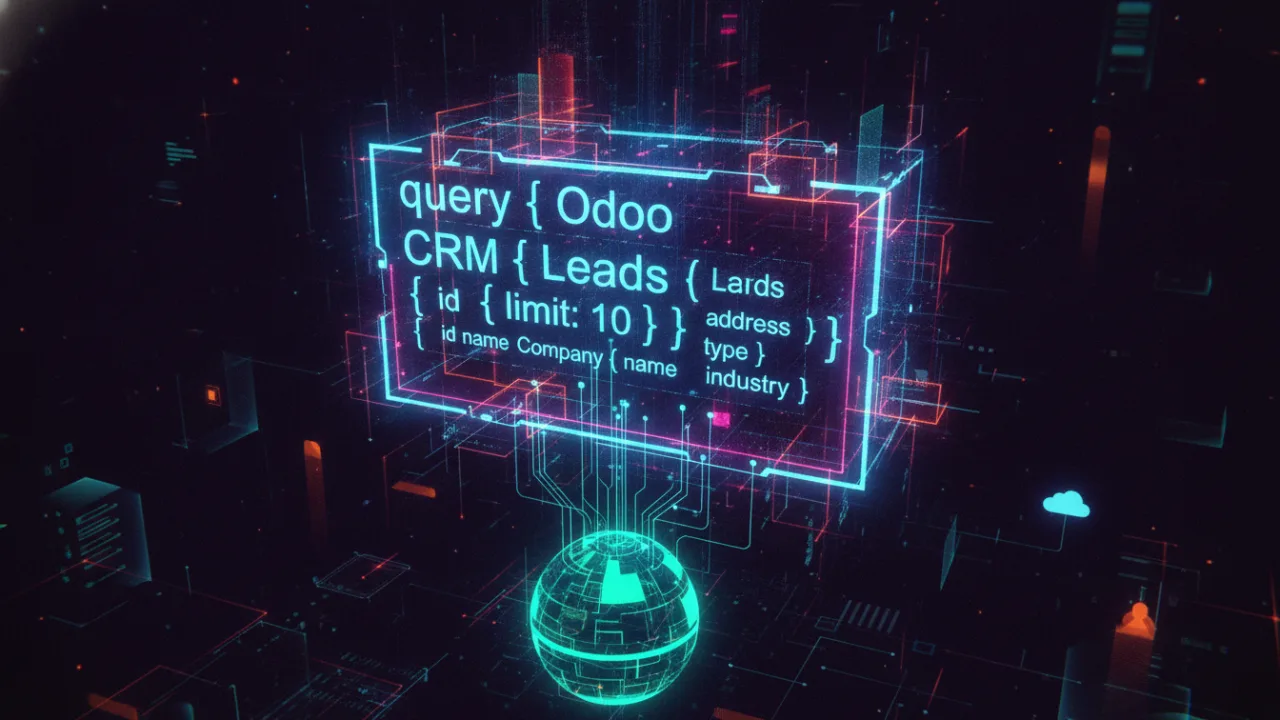
A basic GraphQL query for Odoo data starts by specifying the root query type. This typically exposes collections of Odoo models. For example, to fetch a list of partners, your query might look like this:
query {
 partners {
 id
 name
 email
 }
}
This query returns the `id`, `name`, and `email` for all partner records. You can introduce arguments to filter, sort, and paginate the results, providing granular control over the data. For instance, to fetch only active companies with a specific name pattern, sorted by name, you might use:
query {
 partners(
 domain: "[('is_company', '=', True), ('active', '=', True)]",
 limit: 10,
 offset: 0,
 order: "name asc"
 ) {
 id
 name
 phone
 email
 }
}
Here, the `domain` argument directly uses Odoo’s domain syntax. `limit` and `offset` handle pagination, and `order` specifies sorting. This direct mapping of Odoo’s powerful search capabilities into GraphQL arguments makes querying highly intuitive for Odoo developers. Furthermore, GraphQL excels at fetching related data in a single request.
If a partner has associated sales orders, you can include them in the same query:
query {
 partners(domain: "[('is_company', '=', True)]") {
 id
 name
 sales_orders {
 id
 name
 amount_total
 state
 }
 }
}
This query efficiently retrieves partner details along with their corresponding sales orders. It avoids the N+1 problem often encountered with REST APIs, where separate requests would be needed for each partner’s sales orders. The ability to define nested fields and traverse relationships within a single query significantly reduces network round trips and simplifies client-side data management.
These powerful querying capabilities allow developers to build highly performant and responsive applications that integrate with Odoo’s vast data landscape. This makes the Odoo GraphQL API an indispensable tool for modern development.
Odoo Graphql Api: Mutating Odoo Data Through the GraphQL API
Beyond querying, the Odoo GraphQL API provides robust capabilities for modifying Odoo data through mutations. Mutations are GraphQL operations used to create, update, or delete records. They ensure all changes are performed in a structured and type-safe manner. Like queries, mutations are defined within the GraphQL schema, specifying the input arguments and the expected return type.
This explicit definition helps prevent common API errors and provides clear documentation for developers interacting with the Odoo backend.
To perform a mutation, you typically define an `input` type that encapsulates the data required for the operation. For instance, creating a new customer (a `res.partner` record) involves an input type containing fields like `name`, `email`, and `phone`. A mutation to create a partner might look like this:
mutation CreatePartner($name: String!, $email: String) {
 createPartner(input: { name: $name, email: $email }) {
 id
 name
 email
 }
}
Along with the variables:
{
 "name": "Agentic Marketing Pro",
 "email": "[email protected]"
}
This mutation calls a `createPartner` resolver, passing the `name` and `email`. The resolver then interacts with Odoo’s ORM (e.g., `env[‘res.partner’].create(…)`) to create the new record. The return type of the mutation specifies which fields of the newly created partner should be returned.
This allows the client to immediately receive confirmation and the new record’s `id`.
Updating existing records follows a similar pattern. It often requires the record’s `id` along with the fields to be updated. For example, to update a partner’s phone number:
mutation UpdatePartner($id: Int!, $phone: String!) {
 updatePartner(id: $id, input: { phone: $phone }) {
 id
 name
 phone
 }
}
With variables:
{
 "id": 123,
 "phone": "+1-555-123-4567"
}
This `updatePartner` mutation targets a specific record by `id` and applies the changes. Deletion mutations are typically simpler, often just requiring the `id` of the record to be removed:
mutation DeletePartner($id: Int!) {
 deletePartner(id: $id) {
 success
 }
}
Error handling for mutations is crucial. If an Odoo validation rule is triggered or a database constraint is violated, the GraphQL server should return a clear error message in the response. This often includes specific error codes or details to help the client application diagnose the issue.
This robust mutation capability ensures all data manipulation within Odoo through the GraphQL API is secure, validated, and provides immediate feedback. This makes it an indispensable tool for building interactive applications that require dynamic data management.
Extending and Customizing the Odoo GraphQL API
The Odoo GraphQL API is highly extensible. Developers can tailor it to specific business requirements, going beyond standard Odoo model exposure. For a custom GraphQL Odoo solution, define new types, fields, and resolvers. This integrates with your custom Odoo modules and complex business logic.
This customization ensures the GraphQL API remains a flexible and powerful interface, even for highly specialized Odoo implementations.
One common customization involves exposing fields from custom Odoo modules or adding computed fields that don’t directly exist in the database. For instance, if you have a custom Odoo module for project management with a `project.task` model, you would extend the GraphQL schema to include a `Task` type.
You might also add a computed field like `progress_percentage` to the `Task` type. This calculates its value based on sub-tasks or time spent. This involves modifying the GraphQL schema definition within your Odoo module, typically by extending the base GraphQL module’s schema definition files.
Defining custom resolvers is another critical aspect of extending the Odoo GraphQL API. A custom resolver is a Python function that dictates how a specific GraphQL field’s data is fetched. For example, if your `Product` type has a `stock_availability` field that requires complex logic involving multiple warehouse locations and future orders, you would write a custom resolver for `stock_availability`.
This resolver contains the necessary Odoo ORM calls and business logic to compute the accurate stock level, rather than simply fetching a stored database value. This allows for powerful, real-time data computations directly within your GraphQL responses.
Furthermore, you can define entirely new root query or mutation fields to expose custom Odoo functions or workflows. Imagine a scenario where you need a GraphQL mutation to trigger a complex Odoo wizard or a server action. You could define a `triggerCustomWorkflow` mutation in your schema.
Its resolver would call the corresponding Odoo Python method. This level of integration allows the GraphQL API to serve not just as a data access layer, but also as an orchestration layer for Odoo’s operational capabilities. When implementing custom resolvers, consider performance implications, especially for computationally intensive operations.
Apply Odoo’s security mechanisms (ACLs, record rules) to ensure data integrity and access control. This deep customization ensures the Odoo GraphQL API can truly meet the unique demands of any enterprise application.
Advanced Concepts and Best Practices for Odoo GraphQL API Development
Effective Odoo GraphQL API development requires understanding advanced concepts and best practices. This ensures performance, security, and maintainability. One critical challenge in API development is the N+1 problem. Fetching a list of items and then their related details can lead to `N` additional database queries.
For the Odoo GraphQL API, this can be mitigated through techniques like data loaders or batching. Data loaders collect all requests for a specific type of related data within a single GraphQL execution. They then make a single batched Odoo ORM call to retrieve all necessary records.
This significantly reduces database load and improves response times.
Caching strategies are also paramount for high-performance Odoo GraphQL API implementations. While GraphQL itself doesn’t inherently provide caching like REST’s HTTP caching, client-side caching (e.g., using Apollo Client’s normalized cache) can store query results and serve them instantly if the data hasn’t changed.
On the server side, implementing application-level caching for frequently accessed, static Odoo data (like product categories or configuration settings) can further reduce the load on the Odoo ORM and database. Careful invalidation strategies are essential to ensure data freshness.
Security remains a top priority. Beyond Odoo’s native ACLs and record rules, which are automatically applied by the GraphQL resolvers, consider implementing rate limiting on your GraphQL endpoint. This prevents abuse or denial-of-service attacks. For authentication, while Odoo session-based authentication is common, implementing JWT (JSON Web Token) authentication can provide a stateless and scalable solution for external client applications.
JWTs allow clients to authenticate once and receive a token that can be used for subsequent requests, enhancing security and simplifying client-side authentication flows.
Robust error handling and logging are crucial. The Odoo GraphQL API should return meaningful error messages with appropriate status codes when issues arise. This applies whether from invalid queries, Odoo validation errors, or server-side exceptions. Centralized logging helps monitor API usage, identify performance bottlenecks, and debug issues efficiently.
Finally, using GraphQL tooling such as GraphiQL or GraphQL Playground during development provides an interactive environment for exploring the schema, testing queries, and documenting the API. This significantly enhances developer productivity. By incorporating these advanced concepts and best practices, developers can build highly efficient, secure, and scalable applications powered by the Odoo GraphQL API.
Conclusion: Implement the Odoo GraphQL API in Your Environment
The Odoo GraphQL API offers a powerful and flexible interface for modern application development. It provides significant advantages over traditional API paradigms. Developers using GraphQL achieve precise data fetching, reduced network overhead, and more performant applications.
These integrate well with Odoo’s data models. From understanding its core architecture to setting up the environment, and mastering queries, mutations, and customizations, the Odoo GraphQL API helps engineers craft efficient, scalable solutions.
Key points include the schema-first approach for type safety, efficient single-request data retrieval, and integration with Odoo’s native security features. Frontend developers benefit from predictable GraphQL responses, simplifying client-side state management. Full-stack engineers appreciate granular control over data interactions.
As Odoo evolves, adopting GraphQL is a forward-thinking strategy for building future-proof applications. Use these capabilities to optimize data interactions and enhance your development workflow. Implement the Odoo GraphQL API in your environment to unlock its full potential for your next project, driving efficiency and innovation.
Frequently Asked Questions
What is the core benefit of Odoo Graphql Api?
Implementing Odoo Graphql Api strategically lets organizations scale efficiently, driving measurable ROI and reducing daily friction.
How quickly can I see results from Odoo Graphql Api?
Initial improvements are visible within 14-30 days. Comprehensive benefits compound over 60-90 days.
Is Odoo Graphql Api suitable for small businesses?
Yes. Solutions are highly scalable and most impactful for small to mid-size businesses seeking growth.
Is your AI strategy leaking revenue?
Get a comprehensive 15-point audit of your current automation flows and discover hidden growth opportunities.
Ready to Implement Odoo Graphql Api?
Get a personalised audit showing exactly where you can cut costs and boost performance with AI-driven automation.
Leave a Reply